
Download DVD Audio Ripper – DVD audio extraction, rip audio from DVD, MP3, WAV, extract audio from DVD, audio extraction tool, DVD to MP3, DVD to WAV
Overview
DVD Audio Ripper is a utility designed to simplify the process of extracting audio from DVDs, offering users a straightforward solution for preserving high-quality sound from disc-based media. The application enables users to convert audio tracks from DVDs into widely supported digital formats such as MP3 and WAV, making it ideal for creating personal music libraries or transferring audio to portable devices. This tool is particularly useful for individuals who own physical DVD collections containing music, live performances, or audio-only content but wish to access them without requiring a DVD player or video playback.
The target audience includes casual users, music collectors, and audio enthusiasts who want to digitize audio from DVDs without the complexity of advanced software. While the developer, DVD Audio Ripper, has not provided detailed background information, the app’s long-standing presence in the utility space—first released in 2007—suggests a focus on reliability and functionality over frequent updates. Real-world use cases include extracting concert recordings, audiobooks, or spoken word content from DVDs for offline listening. In the broader app ecosystem, DVD Audio Ripper fills a niche role as a specialized audio conversion tool, especially relevant for users still relying on legacy DVD media.
Key Features & Functionality
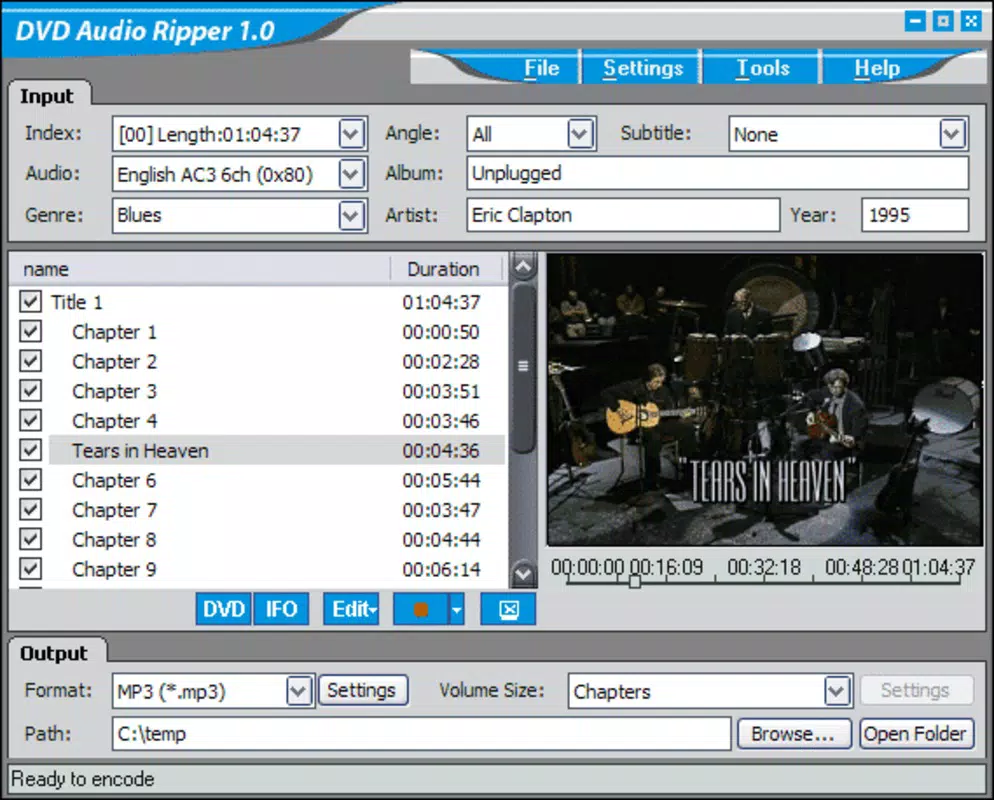
- Easy DVD Audio Extraction: The software automatically detects audio content when a DVD is inserted, allowing users to select specific chapters or extract the entire disc’s audio with minimal user input. This feature is ideal for isolating a single song or performance from a longer DVD.
- Multiple Audio Formats: Users can choose between MP3 and WAV output formats, providing flexibility for different use cases—MP3 for compact storage and portability, WAV for lossless audio quality and studio-grade fidelity.
- Customizable Bitrate Settings: For MP3 output, users can adjust the bitrate between 90 and 320 KBits, enabling a balance between file size and audio clarity. Higher bitrates preserve more detail, while lower settings conserve space.
- Tag Editing Capability: The app allows users to edit metadata such as artist, title, genre, and year, ensuring that extracted audio files remain organized and searchable within personal music libraries.
- User-Friendly Interface: Designed with accessibility in mind, the interface is straightforward and intuitive, making it suitable for users with limited technical experience.
For example, a user could extract a live jazz album from a DVD, set the output to MP3 at 320 KBits for high fidelity, and tag the files with the correct artist and album name—ensuring a professional-grade digital archive.
Interface, UX & Performance
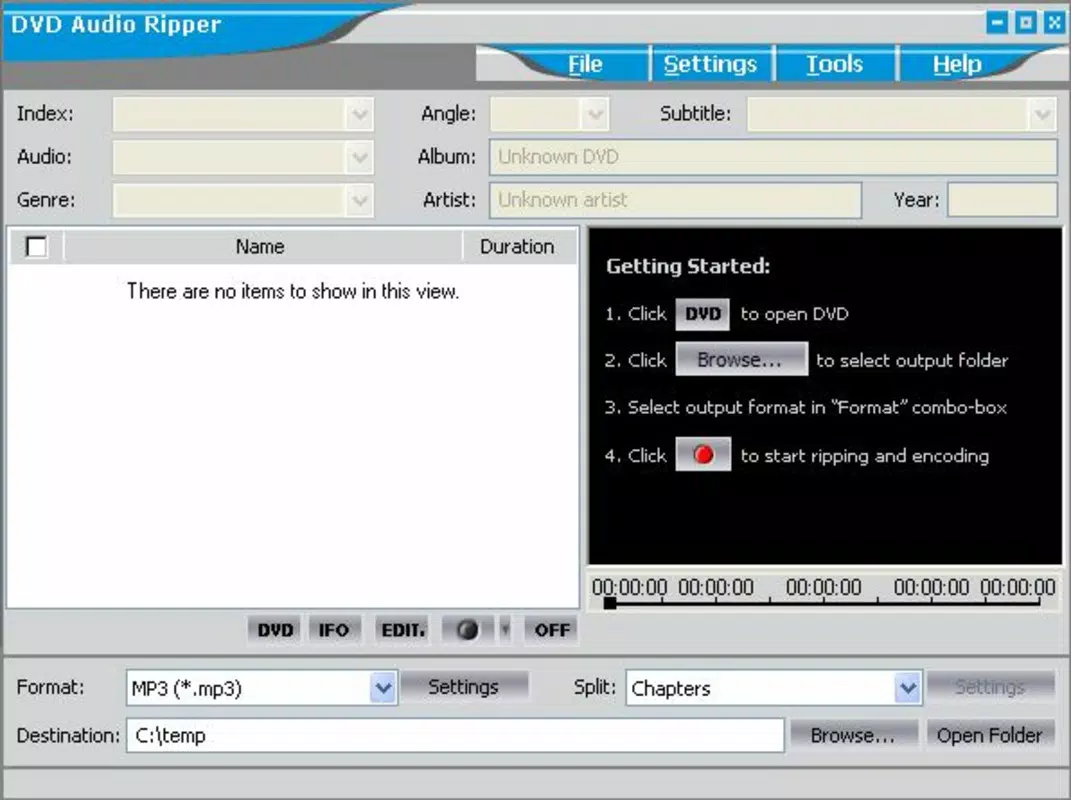
DVD Audio Ripper features a clean, minimalistic interface focused on core functionality. The layout prioritizes clarity, with clearly labeled buttons for disc detection, format selection, and tag editing. Navigation is linear and predictable, guiding users through the extraction process step by step. The application does not appear to include advanced customization options or real-time previews, which keeps the experience lightweight and focused.
Although the developer did not list formal performance metrics, the app’s file size of 5.5 MB suggests a lightweight design optimized for efficient operation. It is expected to run smoothly on standard Windows systems, though specific hardware or OS requirements were not disclosed. Responsiveness appears to be consistent with its purpose—handling audio extraction tasks without significant lag. Stability is likely maintained through years of use, though no recent updates have been reported. The lack of a modern UI overhaul may be noticeable to users accustomed to contemporary design standards, but the interface remains functional and effective for its intended tasks.
Platform Compatibility & Technical Requirements
DVD Audio Ripper is designed for the Windows platform, with no information provided on specific operating system versions or minimum hardware requirements. The application has a file size of 5.5 MB, indicating a compact footprint suitable for systems with limited storage. The developer did not specify compatibility details for newer Windows versions, nor did they provide information on whether the software supports 64-bit systems or older Windows releases.
Given its release date of 2007, it is possible the software was originally developed for Windows XP or earlier. However, it may still function on modern Windows systems through compatibility modes, though this is not guaranteed. Users should exercise caution when installing software of this vintage, particularly regarding security and system stability. The lack of updated technical documentation limits the ability to assess current compatibility with today’s operating environments.
Pros and Cons
Pros
- Simple and intuitive interface suitable for non-technical users.
- Supports both MP3 and WAV output formats for flexible use.
- Allows customization of MP3 bitrate for quality vs. size control.
- Includes metadata tagging for better audio library organization.
- Free to download and use, with no in-app purchases.
Cons
- No official updates since 2007, raising concerns about long-term compatibility.
- Developer did not provide current system requirements or OS compatibility details.
- Interface appears outdated compared to modern software standards.
- Does not support newer file systems or disc types beyond standard DVDs.
- Security and malware checks are recommended before installation due to age and lack of updates.
FAQ
Is DVD Audio Ripper safe to download and install?
The app is free and available for download, but due to its age and lack of recent updates, users should scan the file with antivirus software before installation to ensure it is free of malware.
Can I use DVD Audio Ripper on Windows 10 or Windows 11?
While the software was released in 2007, it may still run on newer Windows versions through compatibility mode. However, the developer did not confirm official support for Windows 10 or 11.
Does DVD Audio Ripper support Blu-ray discs?
No, the app is designed specifically for standard DVDs. It does not support Blu-ray or other high-density optical media formats.
Is the software available for macOS or Linux?
Currently, DVD Audio Ripper is only available for Windows. No versions for macOS or Linux were provided by the developer.
How do I update DVD Audio Ripper?
As of now, no updates have been released since 2007. The developer has not announced plans for future updates, so users should rely on the current version.
Final Thoughts
DVD Audio Ripper remains a functional tool for users seeking to extract audio from DVDs and convert it into MP3 or WAV formats. Its straightforward interface, support for customizable bitrates, and metadata editing make it a practical choice for digitizing audio content from legacy media. While its age presents challenges in terms of compatibility and security, the app continues to serve its core purpose effectively for those with older DVD collections.
It is best suited for casual users and audio archivists who prioritize simplicity and cost over modern features. For individuals looking to preserve music, spoken word recordings, or live performances from DVDs, this utility offers a reliable, no-cost solution. However, users should proceed with caution due to the lack of updates and potential security risks.
Download DVD Audio Ripper now


